OpenClaw Hardware
Какъв е най-добрият хардуер за OpenClaw?
Сравнете ClawBox, Raspberry Pi, Mac Mini и домашни сървъри. Намерете перфектния баланс между цена, производителност и лесна употреба.
This is the main comparison page for people searching for OpenClaw hardware. Compare ClawBox, Mac Mini, Raspberry Pi, and home server setups to decide which OpenClaw hardware option makes the most sense for 24/7 use.
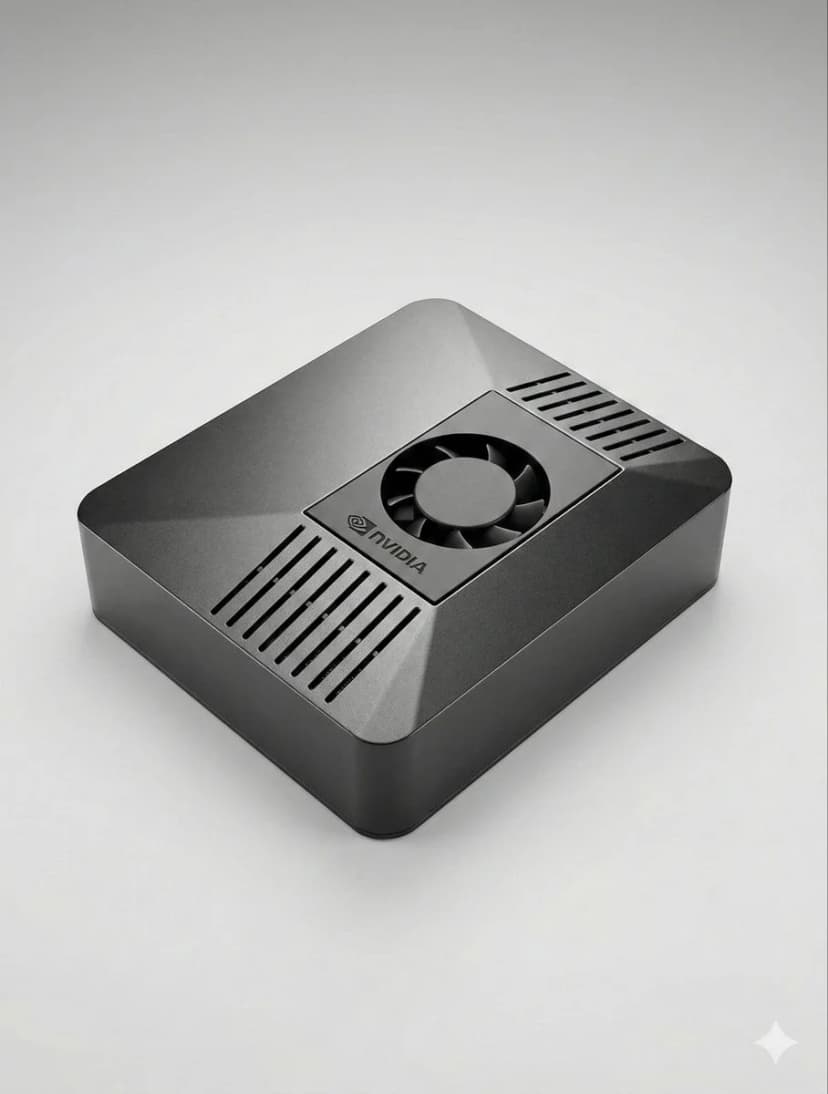
What is the best hardware for OpenClaw?
If you want dedicated OpenClaw hardware that runs 24/7, handles local AI well, and sets up in minutes, ClawBox is the best OpenClaw hardware. If you want a DIY route, compare Mac Mini, Raspberry Pi, and home server tradeoffs before you buy.
OpenClaw hardware requirements
See the minimum and recommended specs for running OpenClaw, local models, voice, and automation.
OpenClaw setup guide
Check the 5-minute setup path once you know which OpenClaw hardware route makes sense for you.
ClawBox vs Mac Mini
Compare the most common DIY alternative to dedicated OpenClaw hardware before you commit.
OpenClaw on Raspberry Pi
See when Raspberry Pi is good enough, where it struggles, and why Jetson-class hardware feels better for daily use.
Local AI hardware guide
See why always-on dedicated AI hardware is easier to trust than a laptop, cloud VPS, or shared desktop.
OpenClaw setup guide
Start here if you want a simple step-by-step explanation before diving into channels, models, and automation.
Какво е най-важно?
Ключови фактори при избора на AI хардуер
AI производителност
TOPS (трилион операции в секунда) определя колко бързо работят AI моделите локално.
Обща цена
Вземете предвид началната цена плюс електричеството за 4 години денонощна работа.
Консумация на енергия
По-малко вата = по-ниски сметки за ток и по-малко топлина. Критично за устройства, работещи 24/7.
Готово за употреба
Предварително конфигуриран срещу часове ръчна настройка. Времето е пари.
Защита на данните
Локалният хардуер пази вашите данни в мрежата ви. Облакът означава нечий друг сървър.
Ниво на шум
Безвентилаторна или почти тиха работа е важна за устройства, работещи 24/7 в жилищни пространства.
Best OpenClaw hardware options
If you are comparing OpenClaw hardware, focus on setup time, power draw, local AI performance, and whether the device is realistic to keep running all day.
ClawBox
NVIDIA Jetson Orin NanoПроизводителност
67 TOPS
Мощност
7-25W
Предимства
- + Предварително конфигуриран — работи за 5 минути
- + 67 TOPS AI ускорение
- + 15W консумация на енергия
- + Почти безшумна работа
- + Двулентов WiFi + Bluetooth 5.0
Недостатъци
- − По-висока начална цена от Pi
Най-добър като цяло. Специално създаден за OpenClaw с реално AI ускорение.
Raspberry Pi 5
Направи си самПроизводителност
~2 TOPS
Мощност
5-15W
Предимства
- + Най-ниска цена
- + Ниска консумация (5-8W)
- + Голяма общност
Недостатъци
- − Без AI ускорение
- − 1-3 часа настройка
- − Трудности с автоматизацията на браузъра
Бюджетна опция, но плащате с время и производителност.
Mac Mini M4
Apple SiliconПроизводителност
38 TOPS
Мощност
~22W
Предимства
- + 38 TOPS Neural Engine
- + Висококачествено изпълнение
- + Тих
Недостатъци
- − Цена €699+
- − 2-4 часа настройка
- − Прекалено мощен за OpenClaw
Чудесен, ако вече го имате. Не купувайте само за OpenClaw.
Домашен сървър с GPU
Максимална мощПроизводителност
100+ TOPS
Мощност
200-500W
Предимства
- + Стартирайте модели 70B+ локално
- + Пълна поддръжка на NVIDIA CUDA
- + Максимална гъвкавост
Недостатъци
- − Консумация 200-500W
- − Цена €800+
- − Шумен
Само за стартиране на масивни локални LLM. Прекалено мощен за повечето потребители.
Бързо сравнение
| Хардуер | Цена | AI мощност | Вата | Настройка |
|---|---|---|---|---|
| 🦞 ClawBox | €549 | 67 TOPS | 7-25W | Включи и работи |
| 🍓 Raspberry Pi 5 | ~€150 | ~2 TOPS | 5-15W | часа настройка |
| 🍎 Mac Mini M4 | €699+ | 38 TOPS | ~22W | Необходимо е самостоятелно сглобяване |
| 🖥️ Home Server | €800+ | 100+ TOPS | 200-500W | часа настройка |
Related OpenClaw hardware guides
Use these supporting guides to explore OpenClaw hardware requirements, setup steps, and dedicated-device recommendations without splitting the main ranking target.