OpenClaw Hardware
¿Cuál es el mejor hardware para OpenClaw?
Compare ClawBox, Raspberry Pi, Mac Mini y los servidores domésticos. Encuentre el equilibrio perfecto entre precio, rendimiento y facilidad de uso.
This is the main comparison page for people searching for OpenClaw hardware. Compare ClawBox, Mac Mini, Raspberry Pi, and home server setups to decide which OpenClaw hardware option makes the most sense for 24/7 use.
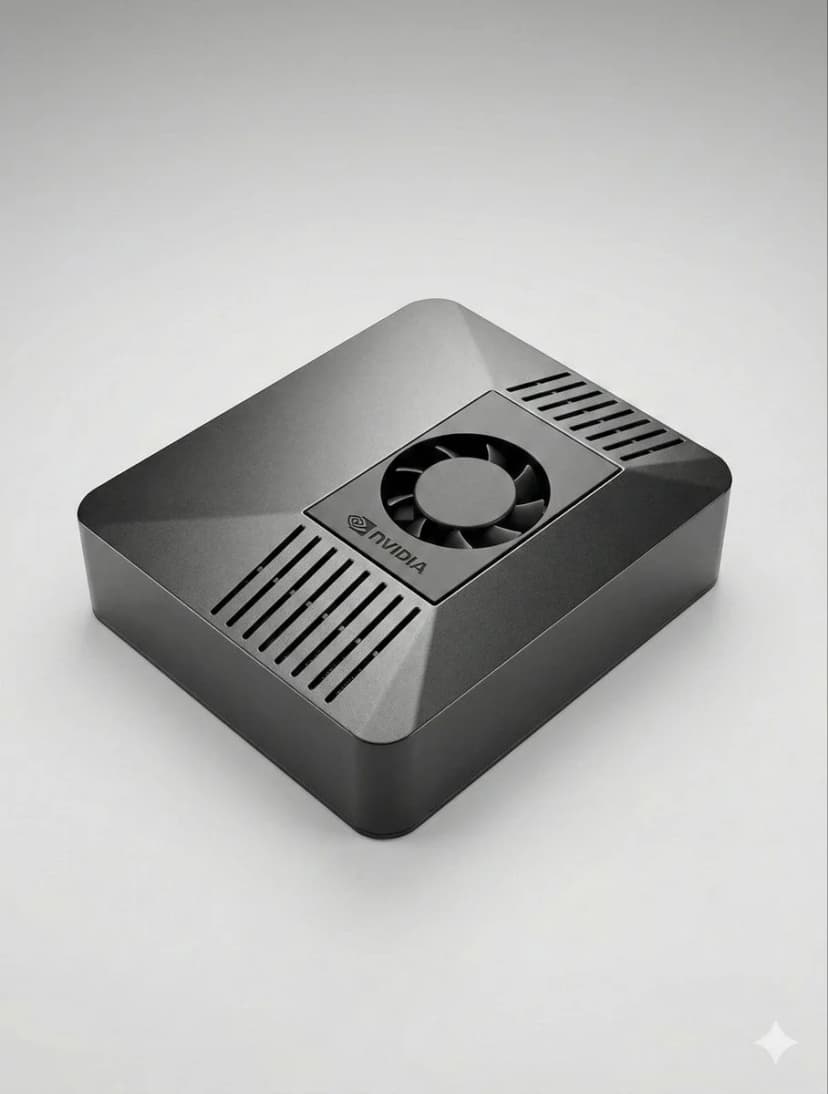
What is the best hardware for OpenClaw?
If you want a dedicated OpenClaw box that runs 24/7, handles local AI well, and sets up in minutes, ClawBox is the best OpenClaw hardware. If you want a DIY route, compare Mac Mini, Raspberry Pi, and home server tradeoffs before you buy.
OpenClaw hardware requirements
See the minimum and recommended specs for running OpenClaw, local models, voice, and automation.
OpenClaw setup guide
Check the 5-minute setup path once you know which OpenClaw hardware route makes sense for you.
ClawBox vs Mac Mini
Compare the most common DIY alternative to dedicated OpenClaw hardware before you commit.
¿Qué es lo más importante?
Factores clave a considerar al elegir hardware de IA
Rendimiento de la IA
TOPS (Billones de operaciones por segundo) determina la velocidad a la que se ejecutan los modelos de IA localmente.
Costo Total
Considere el costo inicial más la electricidad durante 4 años de funcionamiento 24 horas al día, 7 días a la semana.
Consumo de energía
Menos vatios = facturas de electricidad más bajas y menos calor. Fundamental para dispositivos siempre activos.
Preparado para usar
Preconfigurado frente a horas de configuración manual. El tiempo es dinero.
Privacidad de datos
El hardware local mantiene sus datos en su red. Nube significa el servidor de otra persona.
Nivel de ruido
El funcionamiento sin ventilador o casi silencioso es importante para los dispositivos que funcionan las 24 horas del día, los 7 días de la semana en espacios habitables.
Best OpenClaw hardware options
If you are comparing OpenClaw hardware, focus on setup time, power draw, local AI performance, and whether the device is realistic to keep running all day.
ClawBox
NVIDIA Jetson Orin NanoActuación
67 TOPS
Energía
7-25W
Ventajas
- + Preconfigurado: funciona en 5 minutos
- + 67 TOPS Aceleración de la IA
- + Consumo de energía de 15W
- + Operación casi silenciosa
- + Doble banda WiFi + Bluetooth 5.0
Contras
- − Costo inicial más alto que Pi
Mejor en general. Diseñado específicamente para OpenClaw con aceleración de IA real.
Raspberry Pi 5
Opción de bricolajeActuación
~2 TOPS
Energía
5-15W
Ventajas
- + Costo más bajo
- + Baja potencia (5-8W)
- + Gran comunidad
Contras
- − Sin aceleración de IA
- − 1-3 horas de configuración
- − Problemas con la automatización del navegador
Opción económica, pero pagas con tiempo y rendimiento.
Mac Mini M4
Silicio de manzanaActuación
38 TOPS
Energía
~22W
Ventajas
- + 38 TOPS Motor neuronal
- + Construcción premium
- + Silencioso
Contras
- − 699€+ precio
- − Configuración de 2 a 4 horas
- − Exceso para OpenClaw
Genial si ya tienes uno. No compre solo por OpenClaw.
Servidor doméstico con GPU
Potencia máximaActuación
100+ TOPS
Energía
200-500W
Ventajas
- + Ejecute más de 70 mil millones de modelos localmente
- + Completo NVIDIA CUDA
- + Máxima flexibilidad
Contras
- − Consumo de energía de 200-500 W
- − 800€+ coste
- − Ruidoso
Solo para ejecutar LLM locales masivos. Exagerado para la mayoría de los usuarios.
Comparación rápida
| Hardware | Precio | Poder de la IA | vatios | Configuración |
|---|---|---|---|---|
| 🦞 ClawBox | €549 | 67 TOPS | 7-25W | Conectar y reproducir |
| 🍓 Raspberry Pi 5 | ~€150 | ~2 TOPS | 5-15W | configuración de horas |
| 🍎 Mac Mini M4 | €699+ | 38 TOPS | ~22W | Requiere bricolaje |
| 🖥️ Home Server | €800+ | 100+ TOPS | 200-500W | configuración de horas |
Related OpenClaw hardware guides
Use these supporting guides to explore OpenClaw hardware requirements, setup steps, and dedicated-device recommendations without splitting the main ranking target.