OpenClaw Hardware
OpenClawに最適なハードウェアとは?
ClawBox、Raspberry Pi、Mac Mini、ホームサーバーを比較。価格、性能、使いやすさの完璧なバランスを見つけましょう。
This is the main comparison page for people searching for OpenClaw hardware. Compare ClawBox, Mac Mini, Raspberry Pi, and home server setups to decide which OpenClaw hardware option makes the most sense for 24/7 use.
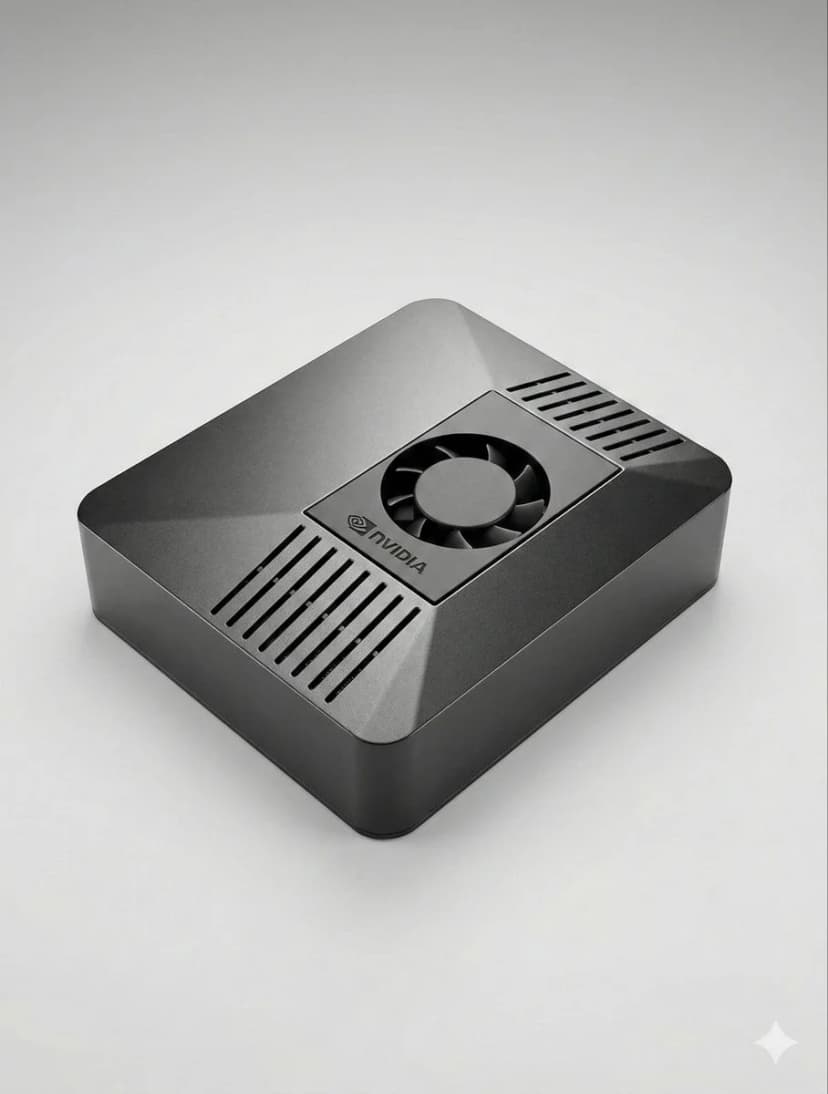
What is the best hardware for OpenClaw?
If you want dedicated OpenClaw hardware that runs 24/7, handles local AI well, and sets up in minutes, ClawBox is the best OpenClaw hardware. If you want a DIY route, compare Mac Mini, Raspberry Pi, and home server tradeoffs before you buy.
OpenClaw hardware requirements
See the minimum and recommended specs for running OpenClaw, local models, voice, and automation.
OpenClaw setup guide
Check the 5-minute setup path once you know which OpenClaw hardware route makes sense for you.
ClawBox vs Mac Mini
Compare the most common DIY alternative to dedicated OpenClaw hardware before you commit.
OpenClaw on Raspberry Pi
See when Raspberry Pi is good enough, where it struggles, and why Jetson-class hardware feels better for daily use.
Local AI hardware guide
See why always-on dedicated AI hardware is easier to trust than a laptop, cloud VPS, or shared desktop.
OpenClaw setup guide
Start here if you want a simple step-by-step explanation before diving into channels, models, and automation.
最も重要な要素とは?
AIハードウェアを選ぶ際の主要な検討事項
AI性能
TOPS(Trillion Operations Per Second)がAIモデルのローカル実行速度を決定します。
総コスト
24時間365日稼働4年間の初期費用と電気代を考慮してください。
消費電力
消費電力が低いほど電気代が安く、発熱も少なくなります。常時稼働デバイスには重要です。
すぐに使える
事前設定済みか、何時間もの手動セットアップか。時間はお金です。
データプライバシー
ローカルハードウェアはデータをネットワーク内に保持します。クラウドは他者のサーバーを意味します。
騒音レベル
ファンレスまたはほぼ無音の動作は、生活空間に設置する24時間365日稼働デバイスに重要です。
Best OpenClaw hardware options
If you are comparing OpenClaw hardware, focus on setup time, power draw, local AI performance, and whether the device is realistic to keep running all day.
ClawBox
NVIDIA Jetson Orin Nano性能
67 TOPS
消費電力
7-25W
長所
- + 事前設定済み — 5分で動作
- + 67 TOPS AI アクセラレーション
- + 15W 消費電力
- + ほぼ無音動作
- + デュアルバンドWiFi + Bluetooth 5.0
短所
- − Piより初期費用が高い
総合最優秀。実際のAIアクセラレーションを備えたOpenClaw専用設計。
Raspberry Pi 5
DIYオプション性能
~2 TOPS
消費電力
5-15W
長所
- + 最低コスト
- + 低消費電力(5〜8W)
- + 大きなコミュニティ
短所
- − AIアクセラレーションなし
- − 1〜3時間のセットアップ
- − ブラウザ自動化に難あり
低予算向けオプションですが、時間と性能で代償を払います。
Mac Mini M4
Apple Silicon性能
38 TOPS
消費電力
~22W
長所
- + 38 TOPS ニューラルエンジン
- + プレミアムな造り
- + 静音
短所
- − €699以上の価格
- − 2〜4時間のセットアップ
- − OpenClawには過剰スペック
すでに持っているなら良い選択。OpenCLaw専用には購入不要。
GPU搭載ホームサーバー
最大パワー性能
100+ TOPS
消費電力
200-500W
長所
- + 70Bパラメーター以上のモデルをローカルで実行
- + フル NVIDIA CUDA
- + 最大の柔軟性
短所
- − 200〜500Wの消費電力
- − €800以上のコスト
- − 騒音あり
大規模なローカルLLMを実行する場合のみ。ほとんどのユーザーには過剰スペック。
クイック比較
| ハードウェア | 価格 | AIパワー | ワット | セットアップ |
|---|---|---|---|---|
| 🦞 ClawBox | €549 | 67 TOPS | 7-25W | プラグ&プレイ |
| 🍓 Raspberry Pi 5 | ~€150 | ~2 TOPS | 5-15W | 時間のセットアップ |
| 🍎 Mac Mini M4 | €699+ | 38 TOPS | ~22W | DIY必要 |
| 🖥️ Home Server | €800+ | 100+ TOPS | 200-500W | 時間のセットアップ |
Related OpenClaw hardware guides
Use these supporting guides to explore OpenClaw hardware requirements, setup steps, and dedicated-device recommendations without splitting the main ranking target.