Built for ClawBox
ClawBox AI: managed model access for your ClawBox
Start with ClawBox AI when you want a simple, managed model experience: no provider juggling, no terminal setup, just an assistant that works with your ClawBox.
ClawBox AI is the streamlined model experience for ClawBox owners. It gives your device managed DeepSeek model access, plan-aware limits, ClawKeep backup features, Remote Desktop access on supported plans, and a friendly path from first setup to advanced automations.

Officiële AI-provider
ClawBox AI + ClawBox
A positive, local-first way to use ClawBox AI with the tools and workflows of OpenClaw.
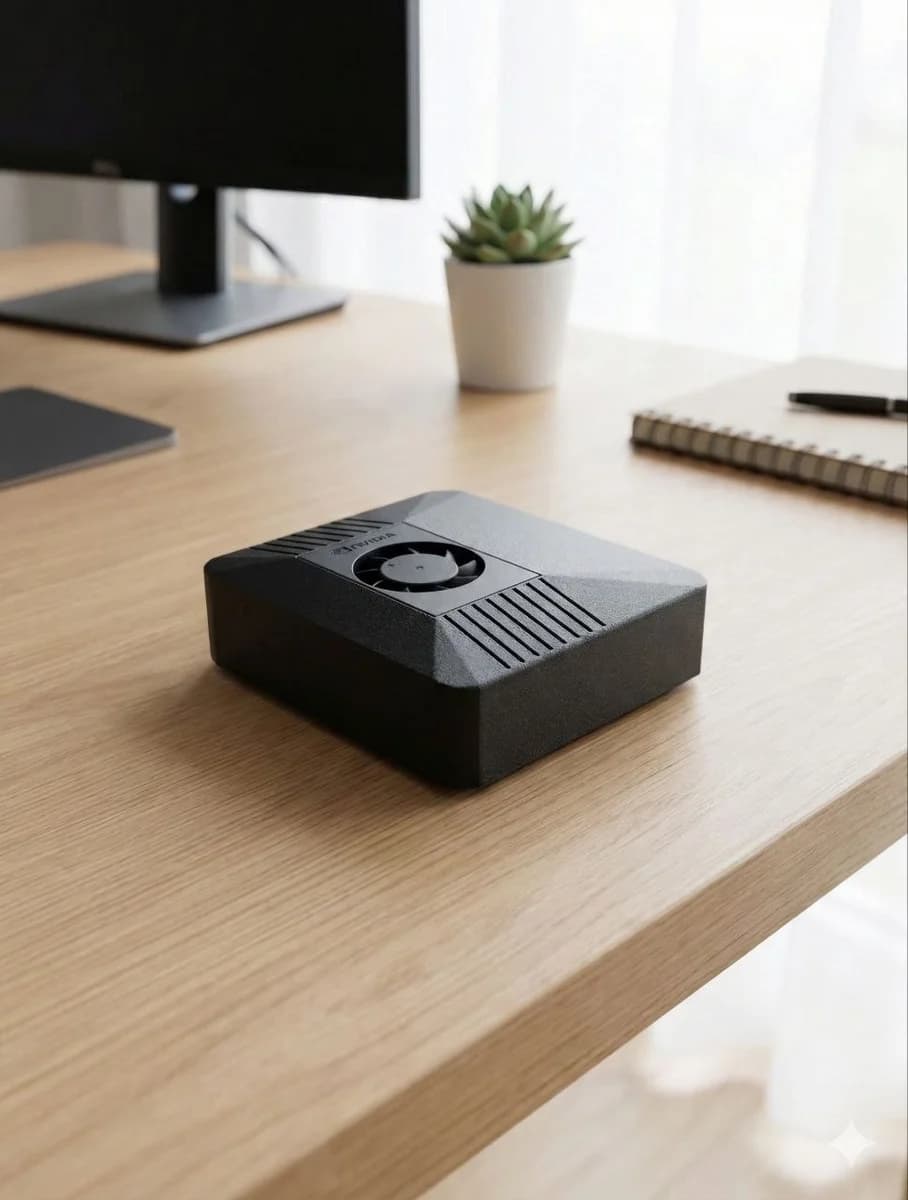
One account layer for models, backups, and remote control
ClawBox is local-first hardware. ClawBox AI is the easiest way to add managed cloud intelligence when local models are not enough. Instead of configuring several providers on day one, you can start using the assistant immediately and upgrade only when your workflows need more capacity.
The same portal account also powers the device features that make ClawBox feel like a product instead of a dev kit: ClawKeep backup status, plan-aware backup quotas, paired-device access, and Remote Desktop links for supported accounts.
Max is the heavy-use path: higher limits, DeepSeek V4 Pro access, larger ClawKeep cloud backup quota, and Remote Desktop access for managing your box when you are away from home. When a Max trial or promo is active, the first month is a good way to test advanced automations, model routing, backup, and remote control without slowing down setup.
Best for
- •First-time ClawBox setup
- •Users who do not want to manage provider keys
- •High-usage personal assistant workflows
- •Remote Desktop access to ClawBox
- •ClawKeep backup and restore planning
Why ClawBox helps
Made for the device
ClawBox AI is designed around the OpenClaw and ClawBox experience, not bolted on as an afterthought.
Fast start
Use managed ClawBox AI immediately while still keeping the freedom to add your own Claude, GPT, Gemini, or local models later.
Max plan power
Max is for heavy users who want higher limits, DeepSeek V4 Pro access, larger ClawKeep backup quota, and Remote Desktop access.
Best of both worlds
Local automation and hardware ownership plus managed cloud AI when tasks need more capable reasoning.
What ClawBox AI unlocks
Zero-friction setup
Plug in ClawBox, connect your account, and start chatting without collecting API keys first.
Advanced automations
Use Max limits to test email, browser, document, and messaging workflows during setup.
Remote management
Use Remote Desktop and ClawKeep features on supported plans to keep your assistant accessible and backed up.
ClawKeep
Encrypted backup for the state that makes your AI personal
ClawKeep is the ClawBox backup layer introduced with ClawBox 3.0. It is designed to protect the parts of the device that are painful to lose: conversations, settings, installed apps, skills, code projects, workspace files, and recovery state after a reset, SSD replacement, corrupted setup, or full re-flash.
- ✓ Restic-backed snapshots for important ClawBox state
- ✓ Portal-visible status including last backup, protected data size, and snapshot count
- ✓ Client-side encryption model: backups are designed to be unreadable without the device passphrase
- ✓ Plan-aware cloud backup quota, with Max offering the largest ClawKeep cloud quota
Remote Desktop
Reach your ClawBox away from home without router work
Remote Desktop is the ClawBox 3.0 remote-control path for opening your ClawBox from outside your home or office. The device publishes a secure Cloudflare Quick Tunnel URL to the portal, so supported accounts can reach the browser-based ClawBox OS without opening router ports, setting up dynamic DNS, or managing a separate VPN.
- ✓ Powered by Cloudflare Quick Tunnel and the existing ClawBox AI portal token
- ✓ Paid-plan gate for publishing remote-desktop tunnel URLs
- ✓ Useful while traveling, working away from the device, or checking background automations
- ✓ Works alongside ClawBox OS, where apps, chat, settings, backup, and system tools live in the browser
FAQ
What is ClawBox AI?
ClawBox AI is the managed AI model layer for ClawBox. It makes it easy to use capable cloud models with your local OpenClaw assistant without configuring every provider yourself.
Do I need ClawBox AI to use ClawBox?
No. ClawBox has a free tier, local model support, and bring-your-own-key options. ClawBox AI plans are optional upgrades for more usage, higher-tier model access, backup, and remote access features.
What does the Max plan include?
Max is the highest ClawBox AI tier, designed for heavy use. It adds higher usage limits, DeepSeek V4 Pro access, the largest ClawKeep cloud backup quota, and Remote Desktop access.
What does ClawKeep back up?
ClawKeep is designed to protect the device state that makes your assistant useful: chat history, assistant state, configuration, installed apps and skills, code projects, workspace files, and recovery data for reset or re-flash scenarios.
How does Remote Desktop work?
On supported paid accounts, a paired ClawBox can publish a Cloudflare Quick Tunnel URL to the portal. That gives you browser-based access to the ClawBox OS from outside your network without opening router ports or configuring dynamic DNS.
Use ClawBox AI from your own AI assistant box
ClawBox ships with OpenClaw pre-installed, local AI support, optional cloud model access, browser automation, voice, messaging integrations, and a 30-day money-back guarantee.