ClawBox-specificaties
Wat zit er in de doos?
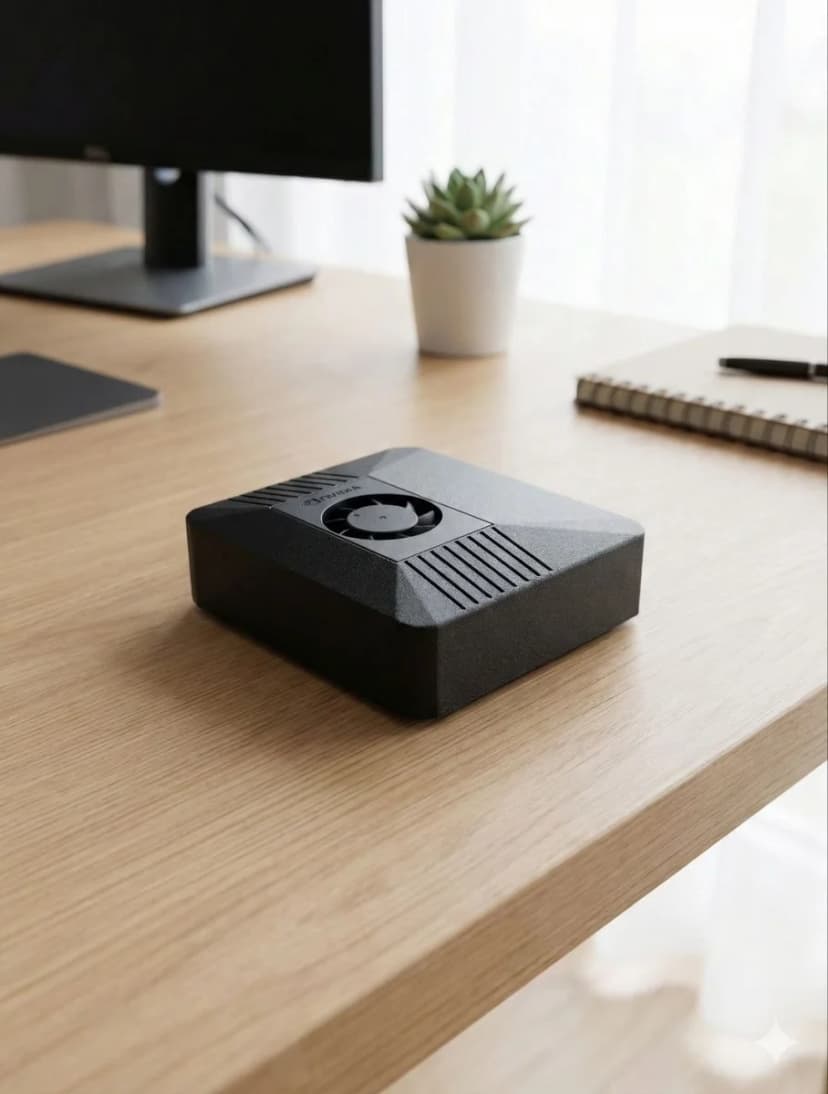
NVIDIA Jetson Orin Nano Super met 67 TOPS AI-prestaties, 8GB geheugen en 512GB opslag.
📅 Updated March 2026
With OpenClaw v2026.3.14 and NemoClaw from NVIDIA, hardware requirements have evolved. The minimum specs remain 4GB RAM and Node.js 20+, but for the best experience with browser automation, multi-agent workflows, and voice pipelines, we now recommend dedicated hardware with NVIDIA CUDA support. The Jetson Orin Nano remains the sweet spot — 67 TOPS of AI compute at just 15W, enough for simultaneous LLM inference, browser automation, and voice processing.
Volledige specificaties
Alles wat u moet weten over ClawBox-hardware
AI-prestaties
67 TOPS
NVIDIA Jetson Orin Nano Super with dedicated AI accelerator
GPU
1024-core Ampere GPU
625 MHz base clock, 40.96 GB/s memory bandwidth
Geheugen
8GB LPDDR5
102.4 GB/s bandwidth, unified CPU/GPU memory
Opslag
512GB NVMe SSD
PCIe Gen3 x4, 2,100 MB/s read speed, pre-installed
Stroom
7-25W
15W typical operation, 20W USB-C PD adapter included
Connectiviteit
WiFi 6 + Bluetooth 5.0
Dual-band 802.11ax, Gigabit Ethernet port
Poorten
USB-A, USB-C, HDMI, Ethernet
microSD slot, 40-pin GPIO header
Grootte
100 × 79 × 31mm
Compact carbon fiber case, 260g total weight
AI-modelprestaties
Wat u kunt draaien op ClawBox
| Model | Snelheid | Kwaliteit |
|---|---|---|
| Llama 3.1 8B (Q4) | ~3.5 tok/s | Excellent |
| Mistral 7B (Q4) | ~4.2 tok/s | Excellent |
| Phi-3 Mini (Q4) | ~6.8 tok/s | Good |
| Gemma 2B (Q4) | ~9.1 tok/s | Fast |
| TinyLlama 1B (Q4) | ~15.3 tok/s | Basic |
| Qwen2.5 7B (Q4) | ~4.0 tok/s | Excellent |
Voor grotere modellen gebruikt u BYOK met cloud-API's (Claude, GPT, Gemini).
Wat is inbegrepen
Hardware
- ✓ NVIDIA Jetson Orin Nano Super
- ✓ 512GB NVMe SSD (vooraf geïnstalleerd)
- ✓ Carbon fiber behuizing
- ✓ 20W USB-C voeding
- ✓ Ethernet & WiFi klaar
Software
- ✓ Ubuntu 22.04 LTS
- ✓ OpenClaw vooraf geïnstalleerd
- ✓ Browserautomatisering klaar
- ✓ Stempijplijn geconfigureerd
- ✓ Gratis software-updates
Stroomvereisten
7W inactief
7W
15W typisch
15W
25W max
25W
De meegeleverde 20W USB-C voeding is alles wat u nodig heeft.
Why Dedicated Hardware for OpenClaw?
Running OpenClaw on dedicated hardware vs shared VPS or your daily-use computer
✓ Dedicated Hardware
- ✓24/7 uptime — your AI assistant never sleeps. Heartbeat checks, scheduled tasks, and proactive monitoring run around the clock without interruption.
- ✓No resource competition — CPU, GPU, and RAM are 100% dedicated to OpenClaw. No other apps fighting for memory or causing unexpected slowdowns.
- ✓Consistent performance — predictable response times for AI inference, voice processing, and browser automation. No “noisy neighbor” problems.
- ✓Lower long-term cost — ClawBox at €549 one-time vs VPS at €20-40/month (€720-1,440 over 3 years). The hardware pays for itself in under 2 years.
- ✓True privacy — your data stays on your physical hardware, on your network. No cloud provider has access to your conversations, files, or automations.
✗ Shared VPS / Your Laptop
- ✗Downtime when you close your laptop — OpenClaw stops when your computer sleeps, restarts, or runs out of battery.
- ✗Resource contention — browser tabs, Slack, VS Code all compete with OpenClaw for RAM and CPU. Performance degrades unpredictably.
- ✗VPS costs add up — a GPU-capable VPS costs €40-80/month. Over 3 years that's €1,440-2,880 — far more than dedicated hardware.
- ✗No local AI inference — most VPS providers don't offer GPU access. You're stuck with cloud API calls only.
The ideal dedicated hardware for OpenClaw: NVIDIA Jetson Orin Nano at just 15W.
67 TOPS of AI performance, fanless operation, always-on by design. ClawBox packages this with a 512GB NVMe SSD, carbon fiber case, and OpenClaw pre-installed — ready in 5 minutes.
Ready to Get Started?
ClawBox comes with everything you need — pre-installed, pre-configured, ready in 5 minutes.
30-day money-back guarantee · Ships to 30+ countries · DHL Express