OpenClaw Hardware
Vilken är den bästa hårdvaran för OpenClaw?
Jämför ClawBox, Raspberry Pi, Mac Mini och hemservrar. Hitta den perfekta balansen mellan pris, prestanda och användarvänlighet.
This is the main comparison page for people searching for OpenClaw hardware. Compare ClawBox, Mac Mini, Raspberry Pi, and home server setups to decide which OpenClaw hardware option makes the most sense for 24/7 use.
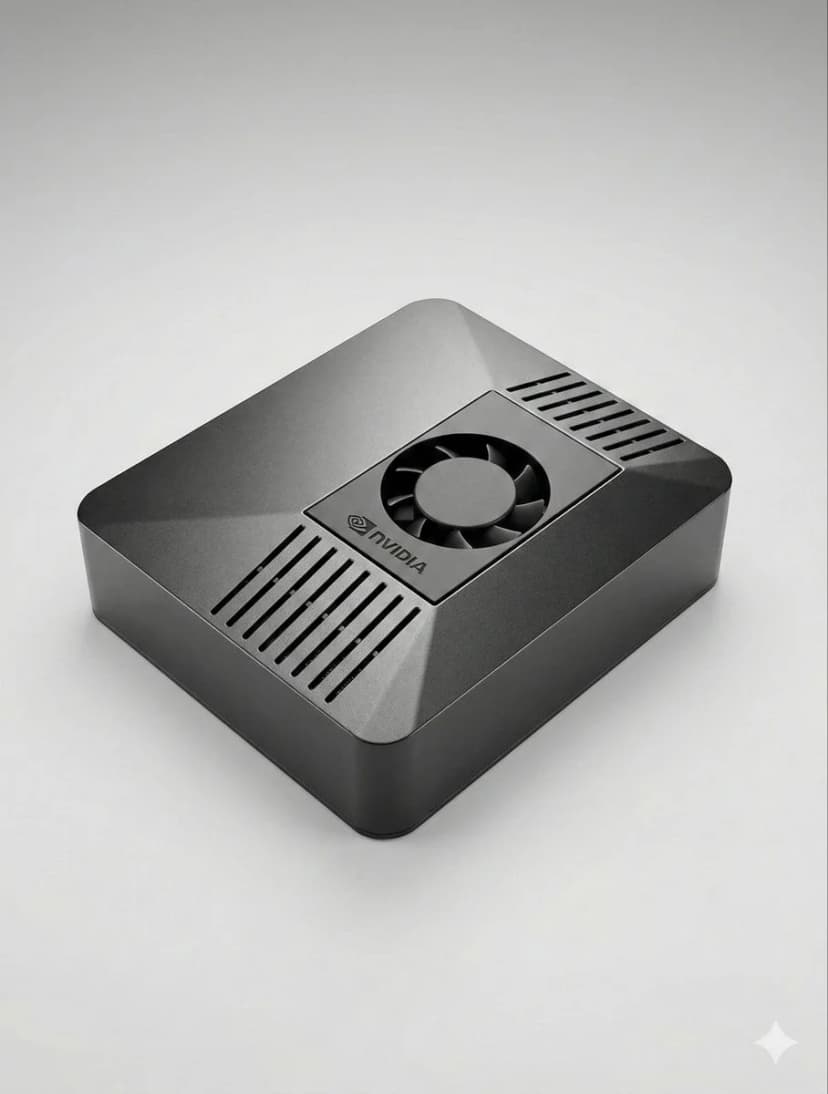
What is the best hardware for OpenClaw?
If you want dedicated OpenClaw hardware that runs 24/7, handles local AI well, and sets up in minutes, ClawBox is the best OpenClaw hardware. If you want a DIY route, compare Mac Mini, Raspberry Pi, and home server tradeoffs before you buy.
OpenClaw hardware requirements
See the minimum and recommended specs for running OpenClaw, local models, voice, and automation.
OpenClaw setup guide
Check the 5-minute setup path once you know which OpenClaw hardware route makes sense for you.
ClawBox vs Mac Mini
Compare the most common DIY alternative to dedicated OpenClaw hardware before you commit.
OpenClaw on Raspberry Pi
See when Raspberry Pi is good enough, where it struggles, and why Jetson-class hardware feels better for daily use.
Local AI hardware guide
See why always-on dedicated AI hardware is easier to trust than a laptop, cloud VPS, or shared desktop.
OpenClaw setup guide
Start here if you want a simple step-by-step explanation before diving into channels, models, and automation.
Vad är viktigast?
Viktiga faktorer att tänka på när du väljer AI-hårdvara
AI-prestanda
TOPS (Biljoner operationer per sekund) avgör hur snabbt AI-modeller körs lokalt.
Total kostnad
Räkna med inköpskostnad plus el under 4 års 24/7-drift.
Energiförbrukning
Lägre watt = lägre elräkning och mindre värme. Avgörande för alltid-på-enheter.
Klar att använda
Förkonfigurerad kontra timmar av manuell installation. Tid är pengar.
Dataintegritet
Lokal hårdvara håller dina data på ditt nätverk. Molnet innebär någon annans server.
Ljudnivå
Fläktlös eller nästan tyst drift är viktigt för 24/7-enheter i bostadsmiljöer.
Best OpenClaw hardware options
If you are comparing OpenClaw hardware, focus on setup time, power draw, local AI performance, and whether the device is realistic to keep running all day.
ClawBox
NVIDIA Jetson Orin NanoPrestanda
67 TOPS
Effekt
7-25W
Fördelar
- + Förkonfigurerad — fungerar på 5 minuter
- + 67 TOPS AI-acceleration
- + 15W energiförbrukning
- + Nästan tyst drift
- + Dual-band WiFi + Bluetooth 5.0
Nackdelar
- − Högre inköpskostnad än Pi
Bäst totalt sett. Byggd specifikt för OpenClaw med riktig AI-acceleration.
Raspberry Pi 5
Gör-det-själv-alternativPrestanda
~2 TOPS
Effekt
5-15W
Fördelar
- + Lägst kostnad
- + Låg effekt (5–8W)
- + Stor gemenskap
Nackdelar
- − Ingen AI-acceleration
- − 1–3 timmars installation
- − Webbläsarautomation fungerar dåligt
Budgetalternativ, men du betalar med tid och prestanda.
Mac Mini M4
Apple SiliconPrestanda
38 TOPS
Effekt
~22W
Fördelar
- + 38 TOPS Neural Engine
- + Premiumbyggkvalitet
- + Tyst
Nackdelar
- − Pris €699+
- − 2–4 timmars installation
- − Överdrivet för OpenClaw
Bra om du redan har en. Köp inte enbart för OpenClaw.
Hemserver med GPU
Maximal kraftPrestanda
100+ TOPS
Effekt
200-500W
Fördelar
- + Kör 70B+-modeller lokalt
- + Fullständig NVIDIA CUDA
- + Maximal flexibilitet
Nackdelar
- − 200–500W energiförbrukning
- − Kostnad €800+
- − Bullrigt
Endast för att köra massiva lokala LLM:er. Överdrivet för de flesta användare.
Snabb jämförelse
| Hårdvara | Pris | AI-kraft | Watt | Installation |
|---|---|---|---|---|
| 🦞 ClawBox | €549 | 67 TOPS | 7-25W | Plug & Play |
| 🍓 Raspberry Pi 5 | ~€150 | ~2 TOPS | 5-15W | timmars installation |
| 🍎 Mac Mini M4 | €699+ | 38 TOPS | ~22W | Kräver gör-det-själv |
| 🖥️ Home Server | €800+ | 100+ TOPS | 200-500W | timmars installation |
Related OpenClaw hardware guides
Use these supporting guides to explore OpenClaw hardware requirements, setup steps, and dedicated-device recommendations without splitting the main ranking target.