OpenClaw Hardware
Was ist die beste Hardware für OpenClaw?
Vergleichen Sie ClawBox, Raspberry Pi, Mac Mini und Home Server. Finden Sie die perfekte Balance aus Preis, Leistung und Benutzerfreundlichkeit.
This is the main comparison page for people searching for OpenClaw hardware. Compare ClawBox, Mac Mini, Raspberry Pi, and home server setups to decide which OpenClaw hardware option makes the most sense for 24/7 use.
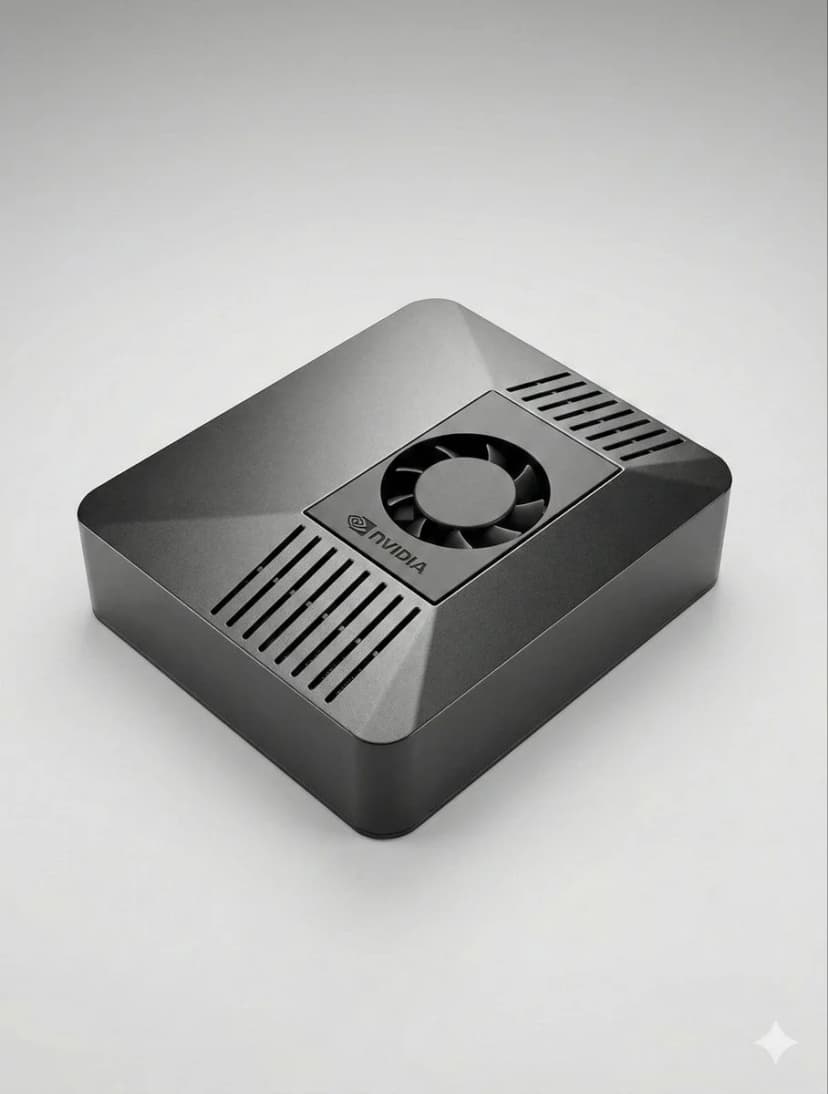
What is the best hardware for OpenClaw?
If you want a dedicated OpenClaw box that runs 24/7, handles local AI well, and sets up in minutes, ClawBox is the best OpenClaw hardware. If you want a DIY route, compare Mac Mini, Raspberry Pi, and home server tradeoffs before you buy.
OpenClaw hardware requirements
See the minimum and recommended specs for running OpenClaw, local models, voice, and automation.
OpenClaw setup guide
Check the 5-minute setup path once you know which OpenClaw hardware route makes sense for you.
ClawBox vs Mac Mini
Compare the most common DIY alternative to dedicated OpenClaw hardware before you commit.
Was Ist Am Wichtigsten?
Wichtige Faktoren bei der Wahl von KI-Hardware
KI-Leistung
TOPS (Billionen Operationen pro Sekunde) bestimmt, wie schnell KI-Modelle lokal laufen.
Gesamtkosten
Berücksichtigen Sie Anschaffungskosten plus Stromkosten über 4 Jahre 24/7-Betrieb.
Stromverbrauch
Weniger Watt = niedrigere Stromrechnung und weniger Wärme. Kritisch für Always-On-Geräte.
Sofort Einsatzbereit
Vorkonfiguriert vs. stundenlange manuelle Einrichtung. Zeit ist Geld.
Datenschutz
Lokale Hardware hält Ihre Daten in Ihrem Netzwerk. Cloud bedeutet fremde Server.
Lautstärke
Lüfterlos oder nahezu lautlos ist wichtig für 24/7-Geräte in Wohnräumen.
Best OpenClaw hardware options
If you are comparing OpenClaw hardware, focus on setup time, power draw, local AI performance, and whether the device is realistic to keep running all day.
ClawBox
NVIDIA Jetson Orin NanoLeistung
67 TOPS
Verbrauch
7-25W
Vorteile
- + Vorkonfiguriert — funktioniert in 5 Minuten
- + 67 TOPS KI-Beschleunigung
- + 15W Stromverbrauch
- + Nahezu lautlos
- + Dual-Band WiFi + Bluetooth 5.0
Nachteile
- − Höhere Anschaffungskosten als Pi
Beste Wahl insgesamt. Zweckgebaut für OpenClaw mit echter KI-Beschleunigung.
Raspberry Pi 5
DIY-OptionLeistung
~2 TOPS
Verbrauch
5-15W
Vorteile
- + Günstigste Option
- + Niedriger Verbrauch (5-8W)
- + Große Community
Nachteile
- − Keine KI-Beschleunigung
- − 1-3 Stunden Setup
- − Browser-Automatisierung kämpft
Budget-Option, aber Sie zahlen mit Zeit und Leistung.
Mac Mini M4
Apple SiliconLeistung
38 TOPS
Verbrauch
~22W
Vorteile
- + 38 TOPS Neural Engine
- + Premium-Verarbeitung
- + Lautlos
Nachteile
- − €699+ Preis
- − 2-4 Stunden Setup
- − Überdimensioniert für OpenClaw
Großartig, wenn Sie bereits einen haben. Kaufen Sie nicht nur für OpenClaw.
Home Server mit GPU
Maximale LeistungLeistung
100+ TOPS
Verbrauch
200-500W
Vorteile
- + 70B+ Modelle lokal ausführen
- + Volles NVIDIA CUDA
- + Maximale Flexibilität
Nachteile
- − 200-500W Stromverbrauch
- − €800+ Kosten
- − Laut
Nur für massive lokale LLMs. Überdimensioniert für die meisten Nutzer.
Schnellvergleich
| Hardware | Preis | KI-Leistung | Watt | Setup |
|---|---|---|---|---|
| 🦞 ClawBox | €549 | 67 TOPS | 7-25W | Plug & Play |
| 🍓 Raspberry Pi 5 | ~€150 | ~2 TOPS | 5-15W | Stunden Setup |
| 🍎 Mac Mini M4 | €699+ | 38 TOPS | ~22W | DIY Erforderlich |
| 🖥️ Home Server | €800+ | 100+ TOPS | 200-500W | Stunden Setup |
Related OpenClaw hardware guides
Use these supporting guides to explore OpenClaw hardware requirements, setup steps, and dedicated-device recommendations without splitting the main ranking target.