OpenClaw Hardware
Qual è l'hardware migliore per OpenClaw?
Confronta ClawBox, Raspberry Pi, Mac Mini e i server domestici. Trova il perfetto equilibrio tra prezzo, prestazioni e facilità d'uso.
This is the main comparison page for people searching for OpenClaw hardware. Compare ClawBox, Mac Mini, Raspberry Pi, and home server setups to decide which OpenClaw hardware option makes the most sense for 24/7 use.
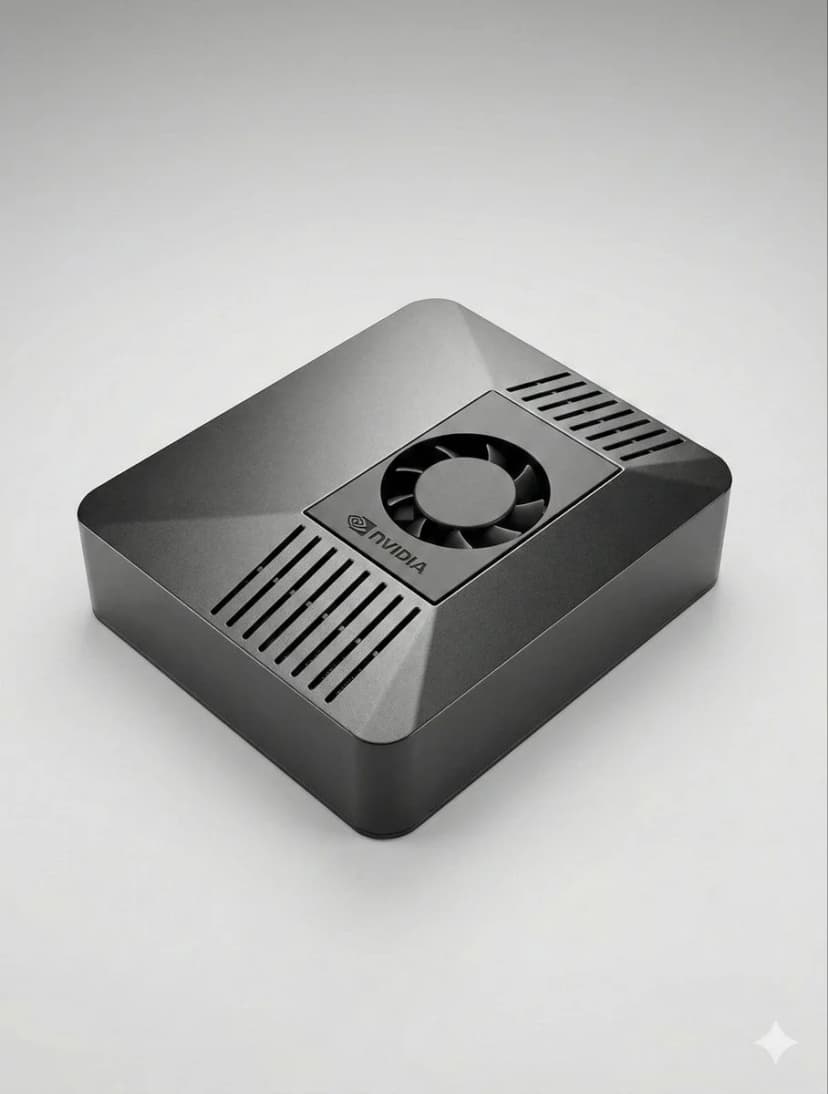
What is the best hardware for OpenClaw?
If you want a dedicated OpenClaw box that runs 24/7, handles local AI well, and sets up in minutes, ClawBox is the best OpenClaw hardware. If you want a DIY route, compare Mac Mini, Raspberry Pi, and home server tradeoffs before you buy.
OpenClaw hardware requirements
See the minimum and recommended specs for running OpenClaw, local models, voice, and automation.
OpenClaw setup guide
Check the 5-minute setup path once you know which OpenClaw hardware route makes sense for you.
ClawBox vs Mac Mini
Compare the most common DIY alternative to dedicated OpenClaw hardware before you commit.
Cosa conta di più?
Fattori chiave da considerare quando si sceglie l'hardware AI
Prestazioni dell'IA
TOPS (trilioni di operazioni al secondo) determina la velocità con cui i modelli IA vengono eseguiti localmente.
Costo totale
Considera il costo iniziale più l'elettricità per 4 anni di funzionamento 24 ore su 24, 7 giorni su 7.
Consumo energetico
Watt più bassi = bollette elettriche più basse e meno calore. Fondamentale per i dispositivi sempre attivi.
Pronto per l'uso
Preconfigurato vs ore di configurazione manuale. Il tempo è denaro.
Privacy dei dati
L'hardware locale mantiene i tuoi dati sulla tua rete. Cloud significa il server di qualcun altro.
Livello di rumore
Il funzionamento senza ventola o quasi silenzioso è importante per i dispositivi 24 ore su 24, 7 giorni su 7 negli spazi abitativi.
Best OpenClaw hardware options
If you are comparing OpenClaw hardware, focus on setup time, power draw, local AI performance, and whether the device is realistic to keep running all day.
ClawBox
NVIDIA Jetson Orin NanoPrestazione
67 TOPS
Alimentazione
7-25W
Pro
- + Preconfigurato: funziona in 5 minuti
- + 67 TOPS Accelerazione AI
- + Consumo energetico 15 W
- + Funzionamento quasi silenzioso
- + Dualband WiFi + Bluetooth 5.0
Contro
- − Costo iniziale più elevato rispetto a Pi
Il migliore in assoluto. Realizzato appositamente per OpenClaw con vera accelerazione AI.
Raspberry Pi 5
Opzione fai da tePrestazione
~2 TOPS
Alimentazione
5-15W
Pro
- + Costo più basso
- + Bassa potenza (5-8 W)
- + Grande comunità
Contro
- − Nessuna accelerazione dell'IA
- − Configurazione da 1 a 3 ore
- − Problemi di automazione del browser
Opzione economica, ma paghi in base al tempo e alle prestazioni.
Mac MiniM4
Silicio di melaPrestazione
38 TOPS
Alimentazione
~22W
Pro
- + 38 TOPS Motore neurale
- + Costruzione premium
- + Silenzioso
Contro
- − €699+ prezzo
- − Configurazione in 2-4 ore
- − Eccessivo per OpenClaw
Ottimo se ne hai già uno. Non acquistare solo per OpenClaw.
Server domestico con GPU
Massima potenzaPrestazione
100+ TOPS
Alimentazione
200-500W
Pro
- + Esegui oltre 70 miliardi di modelli in locale
- + Completo NVIDIA CUDA
- + Massima flessibilità
Contro
- − Assorbimento di potenza 200-500 W
- − €800+ costo
- − Rumoroso
Solo per l'esecuzione di massicci LLM locali. Eccessivo per la maggior parte degli utenti.
Confronto rapido
| Hardware | Prezzo | Potenza dell'intelligenza artificiale | Watt | Impostare |
|---|---|---|---|---|
| 🦞 ClawBox | €549 | 67 TOPS | 7-25W | Collega e usa |
| 🍓 Raspberry Pi 5 | ~€150 | ~2 TOPS | 5-15W | impostazione degli orari |
| 🍎 Mac Mini M4 | €699+ | 38 TOPS | ~22W | Fai da te richiesto |
| 🖥️ Home Server | €800+ | 100+ TOPS | 200-500W | impostazione degli orari |
Related OpenClaw hardware guides
Use these supporting guides to explore OpenClaw hardware requirements, setup steps, and dedicated-device recommendations without splitting the main ranking target.