Hardware Requirements

Everything you need to run OpenClaw locally — from minimum specs to power-user setups.
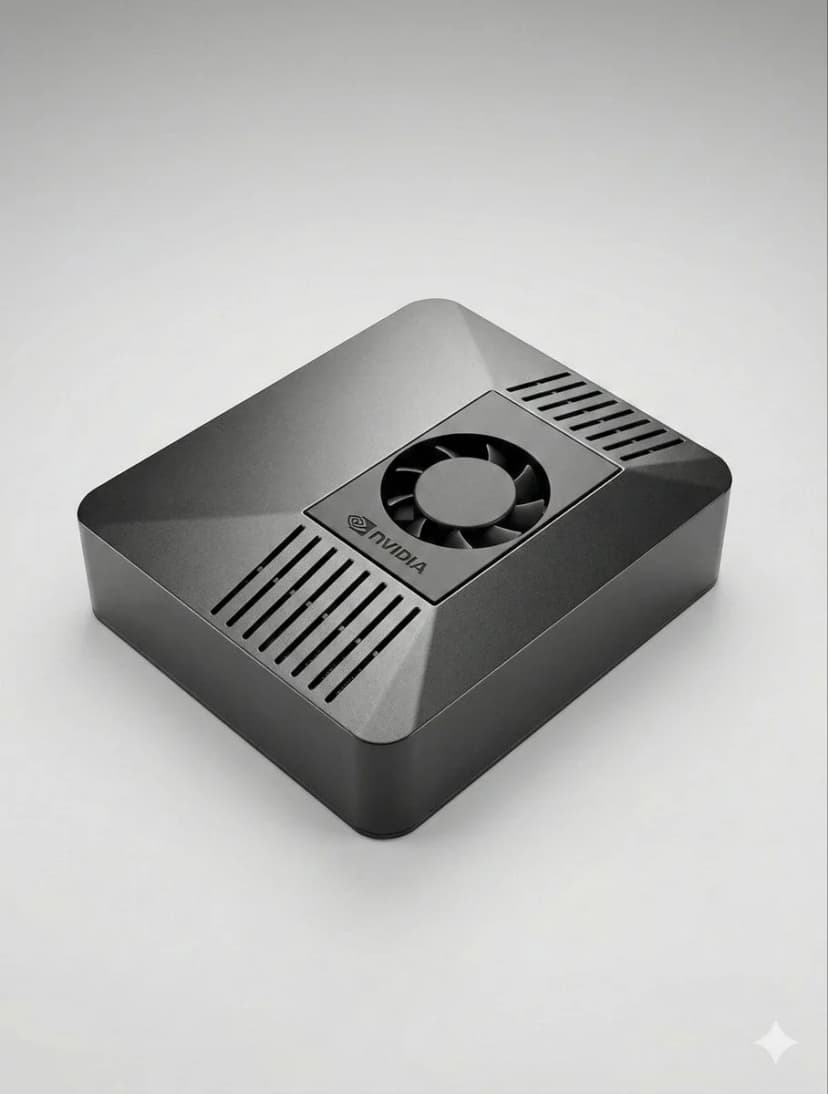
Last updated: February 2026 • OpenClaw v2.x

ClawBox — pre-configured OpenClaw hardware setup, ready out of the box

Detailed Requirements

Minimum

Basic messaging and simple automation

🖥️
CPU1 vCPU / 1 core
🧠
RAM1GB
💾
Storage10GB
🌐
Network1 Mbps+
🐧
OSLinux, macOS, Windows

✓ Capable

  • Telegram/WhatsApp messaging
  • Simple text commands
  • Basic API integrations
  • Scheduled messages

✗ Limitations

  • Browser automation
  • Local AI models
  • Multiple concurrent tasks
  • Image processing
Example hardware: $5/mo VPS • Raspberry Pi 4 (2GB) • Old laptop

Power User

Most Powerful

Local AI models and advanced edge computing

🖥️
CPU4+ cores
🧠
RAM16GB+
💾
Storage100GB+ SSD
🌐
Network25 Mbps+
🚀
GPUNVIDIA (for local LLMs)
🐧
OSLinux (Ubuntu/Debian)

✓ Capable

  • Everything above, plus:
  • Run local LLMs (7B-13B models)
  • Local image generation
  • On-device speech recognition
  • Complete offline operation
  • Multiple browser instances

✗ Limitations

  • 70B+ parameter models (need more VRAM)
Example hardware: ClawBox (67 TOPS) • Gaming PC with GPU • Workstation

Don't want to pick hardware and configure everything yourself?

ClawBox comes pre-configured with Recommended+ specs, dual-band WiFi, and Bluetooth 5.0 — ready in 5 minutes.

Skip the DIY — Get ClawBox →

Setup Reality

DIY setup vs ClawBox — see the difference

🛠️ Manual DIY Setup

1
Research hardware30 min
2
Purchase & wait for delivery1-7 days
3
Install Ubuntu30 min
4
Install Node.js, Python, deps20 min
5
Install Chromium + Playwright15 min
6
Install & configure OpenClaw30 min
7
Set up systemd auto-start15 min
8
Debug issues
Total: 2-4+ hours

(plus days waiting for hardware delivery)

📦 ClawBox Setup

1
Unbox & plug in1 min
2
Open browser → clawbox.local30 sec
3
Scan QR with Telegram2 min
4
Start chatting!Instant
Total: ~5 minutes

Everything pre-installed and optimized

Software Requirements

🐧

OS

Linux preferred

macOS & Windows also work

Node.js

Version 18+

20.x LTS recommended

🐍

Python

3.10+ (optional)

For AI/ML features

🌐

Chromium

For browser automation

Auto-installed by Playwright

Will My Hardware Run OpenClaw?

Click a question to see the answer

Works for basic messaging only. Browser automation will struggle. Upgrade to Pi 5 with 8GB for better experience. ⚠️ Partial support.

Probably fine if it has 4GB+ RAM and you can install Linux. Check if it can run Chrome/Chromium smoothly. ✅ Should work.

Technically possible with Docker, but not recommended. Most NAS devices have weak CPUs and limited RAM. Better to use a dedicated device. ⚠️ Not recommended.

Works for messaging and simple commands. Browser automation will fail. Upgrade to at least 2GB RAM for full features. ⚠️ Partial support.

Overkill but works great. Excellent performance, though you're paying for macOS you don't need. Consider ClawBox for dedicated use. ✅ Works perfectly.

No. OpenClaw requires a server/desktop environment. You interact with it via Telegram/WhatsApp, but it runs on separate hardware. ❌ Not supported.

You need a GPU with at least 8GB VRAM for 7B models. ClawBox (67 TOPS) handles up to 8B models. For 70B+, you need RTX 4090 or better.

Perfect for local LLMs! You can run 13B-34B models easily. Just keep in mind the power consumption if running 24/7. ✅ Excellent choice.

Cloud VPS vs Local Hardware

AspectCloud VPSLocal Hardware
Upfront Cost$0$150-800
Monthly Cost$5-50$0 (+ electricity)
4-Year Total$240-2400$300-1000
Data PrivacyProvider has accessComplete privacy
Setup Time30-60 minutes5 min - 4 hours
IP ReputationOften blockedResidential IP
Reliability99.9% uptimeDepends on power/internet
PortabilityAccess anywhereHome network only*

* Remote access possible with VPN/Tailscale

Choose Cloud When:

  • • Just testing or getting started
  • • You need 99.9% uptime guarantee
  • • Home internet is unreliable
  • • You don't want hardware maintenance

Choose Local When:

  • • Privacy is a priority
  • • You want to avoid recurring costs
  • • You need residential IP (no blocking)
  • • You want local AI models

Skip the Setup Entirely

Why spend hours researching hardware and configuring software when ClawBox comes ready in 5 minutes?

  • OpenClaw pre-installed and configured
  • 67 TOPS AI acceleration (NVIDIA)
  • 8GB RAM, 512GB NVMe storage
  • 15W power consumption
  • Carbon fiber enclosure
  • 5-minute QR code setup
€399

One-time purchase

30-day money-back guarantee

ClawBox€399