OpenClaw Hardware
OpenClaw 最佳硬件是什么?
比较 ClawBox、树莓派、Mac Mini 和家用服务器。找到价格、性能和易用性的完美平衡。
This is the main comparison page for people searching for OpenClaw hardware. Compare ClawBox, Mac Mini, Raspberry Pi, and home server setups to decide which OpenClaw hardware option makes the most sense for 24/7 use.
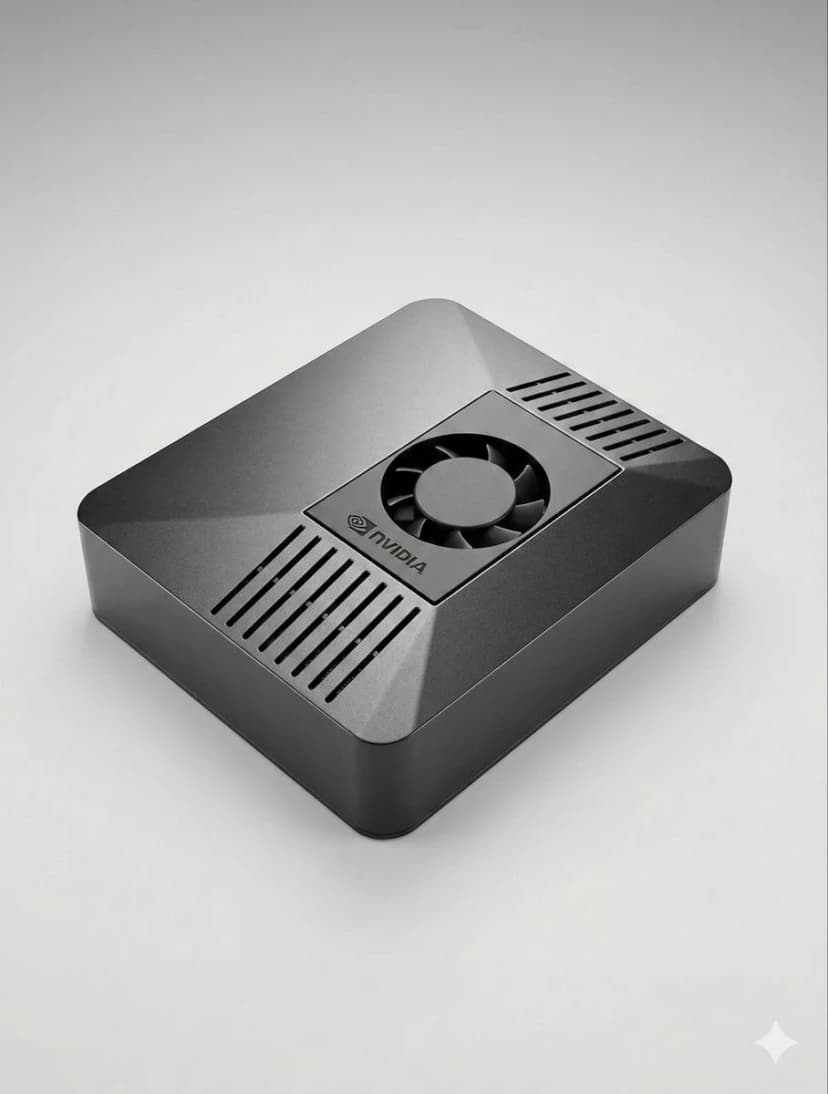
What is the best hardware for OpenClaw?
If you want a dedicated OpenClaw box that runs 24/7, handles local AI well, and sets up in minutes, ClawBox is the best OpenClaw hardware. If you want a DIY route, compare Mac Mini, Raspberry Pi, and home server tradeoffs before you buy.
OpenClaw hardware requirements
See the minimum and recommended specs for running OpenClaw, local models, voice, and automation.
OpenClaw setup guide
Check the 5-minute setup path once you know which OpenClaw hardware route makes sense for you.
ClawBox vs Mac Mini
Compare the most common DIY alternative to dedicated OpenClaw hardware before you commit.
什么最重要?
选择 AI 硬件时要考虑的关键因素
AI 性能
TOPS (每秒万亿次操作)决定了 AI 模型在本地运行的速度。
总成本
考虑 4 年 24/7 运行的初始成本加电费。
功耗
较低的功耗 = 较低的电费和更少的热量。始终开机设备非常关键。
即插即用
预配置 vs 数小时的手动设置。时间就是金钱。
数据隐私
本地硬件将您的数据保存在您的网络上。云意味着别人的服务器。
噪音级别
无风扇或近乎无声的运行对于 24/7 设备在生活空间中很重要。
Best OpenClaw hardware options
If you are comparing OpenClaw hardware, focus on setup time, power draw, local AI performance, and whether the device is realistic to keep running all day.
ClawBox
NVIDIA Jetson Orin Nano性能
67 TOPS
功率
7-25W
优点
- + 预配置 — 5 分钟即可工作
- + 67 TOPS AI 加速
- + 15W 功耗
- + 近乎无声的运行
- + 双频 WiFi + 蓝牙 5.0
缺点
- − 比树莓派成本更高
整体最佳。专为 OpenClaw 打造,具有真正的 AI 加速。
树莓派 5
DIY 选择性能
~2 TOPS
功率
5-15W
优点
- + 最低成本
- + 低功耗 (5-8W)
- + 庞大的社区
缺点
- − 没有 AI 加速
- − 1-3 小时设置
- − 浏览器自动化困难
经济选择,但您需要付出时间和性能代价。
Mac Mini M4
苹果硅性能
38 TOPS
功率
~22W
优点
- + 38 TOPS神经引擎
- + 优质建造
- + 静音
缺点
- − €699+价格
- − 2-4小时设置
- − 过于强大,超出OpenClaw需求
如果你已经拥有,是很好的选择。但不要仅为OpenClaw而购买。
带GPU的家用服务器
最大功率性能
100+ TOPS
功率
200-500W
优点
- + 在本地运行70B+模型
- + 完全NVIDIA CUDA支持
- + 最大灵活性
缺点
- − 200-500W功耗
- − €800+成本
- − 噪音大
仅适用于运行大规模本地LLM。对大多数用户来说过于强大。
快速对比
| 硬件 | 价格 | AI功率 | 瓦特 | 设置 |
|---|---|---|---|---|
| 🦞 ClawBox | €549 | 67 TOPS | 7-25W | 即插即用 |
| 🍓 Raspberry Pi 5 | ~€150 | ~2 TOPS | 5-15W | 小时设置 |
| 🍎 Mac Mini M4 | €699+ | 38 TOPS | ~22W | 需自行设置 |
| 🖥️ Home Server | €800+ | 100+ TOPS | 200-500W | 小时设置 |
Related OpenClaw hardware guides
Use these supporting guides to explore OpenClaw hardware requirements, setup steps, and dedicated-device recommendations without splitting the main ranking target.