ClawBox规格
箱子里有什么?
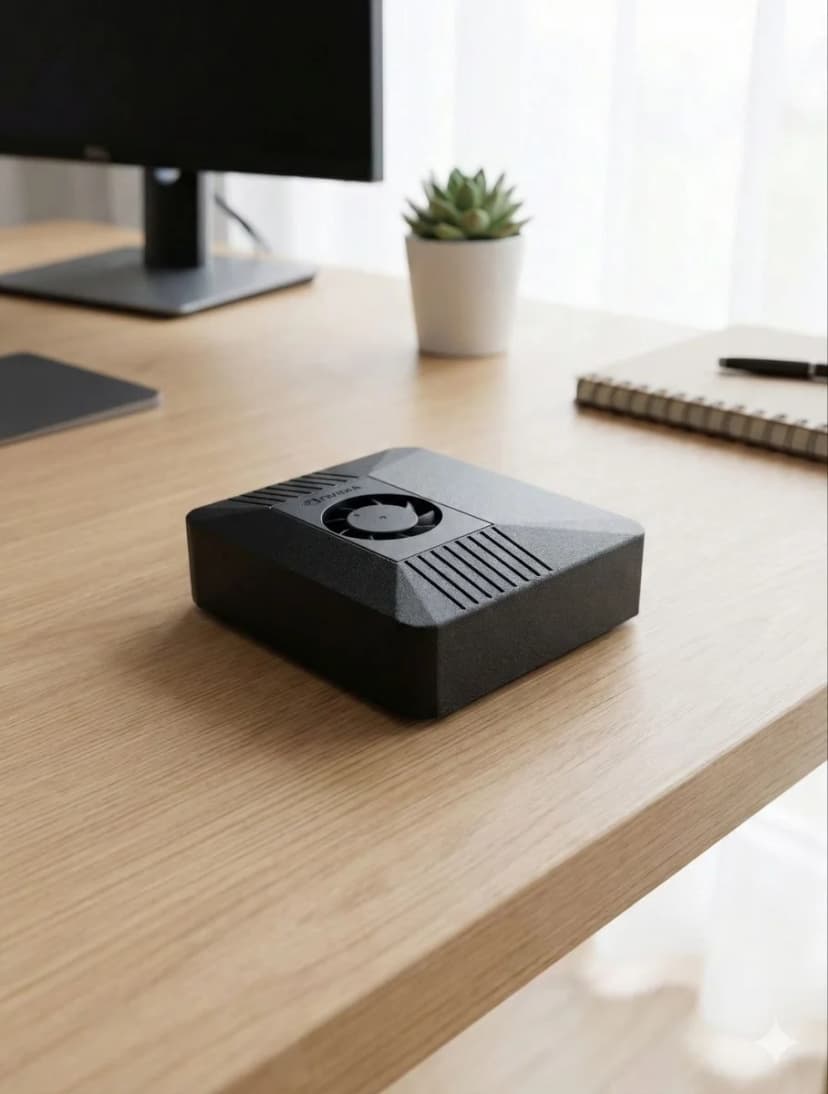
搭载NVIDIA Jetson Orin Nano超级版,具有67 TOPS的AI性能,8GB内存和512GB存储空间。
📅 Updated March 2026
With OpenClaw v2026.3.14 and NemoClaw from NVIDIA, hardware requirements have evolved. The minimum specs remain 4GB RAM and Node.js 20+, but for the best experience with browser automation, multi-agent workflows, and voice pipelines, we now recommend dedicated hardware with NVIDIA CUDA support. The Jetson Orin Nano remains the sweet spot — 67 TOPS of AI compute at just 15W, enough for simultaneous LLM inference, browser automation, and voice processing.
Need the recommendation, not just the specs?
This page explains minimum and recommended specs. If you want the final buying answer, read our guide to the best OpenClaw hardware, where we compare ClawBox, Raspberry Pi, Mac Mini, and other always-on AI setups.
完整规格
了解ClawBox硬件的全部信息
AI性能
67 TOPS
NVIDIA Jetson Orin Nano Super with dedicated AI accelerator
GPU
1024-core Ampere GPU
625 MHz base clock, 40.96 GB/s memory bandwidth
内存
8GB LPDDR5
102.4 GB/s bandwidth, unified CPU/GPU memory
存储
512GB NVMe SSD
PCIe Gen3 x4, 2,100 MB/s read speed, pre-installed
功率
7-25W
15W typical operation, 20W USB-C PD adapter included
连接性
WiFi 6 + Bluetooth 5.0
Dual-band 802.11ax, Gigabit Ethernet port
端口
USB-A, USB-C, HDMI, Ethernet
microSD slot, 40-pin GPIO header
尺寸
100 × 79 × 31mm
Compact carbon color case, 260g total weight
AI 模型性能
您可以在 ClawBox 上运行的内容
| 模型 | 速度 | 质量 |
|---|---|---|
| Llama 3.1 8B (Q4) | ~3.5 tok/s | Excellent |
| Mistral 7B (Q4) | ~4.2 tok/s | Excellent |
| Phi-3 Mini (Q4) | ~6.8 tok/s | Good |
| Gemma 2B (Q4) | ~9.1 tok/s | Fast |
| TinyLlama 1B (Q4) | ~15.3 tok/s | Basic |
| Qwen2.5 7B (Q4) | ~4.0 tok/s | Excellent |
对于较大的模型, 请使用带云API的BYOK(自带密钥)(Claude, GPT, Gemini).
包含内容
硬件
- ✓ NVIDIA Jetson Orin Nano超级版
- ✓ 512GB NVMe SSD (预安装)
- ✓ 碳色外壳
- ✓ 20W USB-C 电源适配器
- ✓ 以太网和WiFi就绪
软件
- ✓ Ubuntu 22.04 LTS
- ✓ OpenClaw 预安装
- ✓ 浏览器自动化就绪
- ✓ 语音管道已配置
- ✓ 免费软件更新
功耗要求
7W 待机
7W
15W 典型值
15W
25W 最大值
25W
附带的20W USB-C电源适配器即可满足您的需求。
Why Dedicated Hardware for OpenClaw?
Running OpenClaw on dedicated hardware vs shared VPS or your daily-use computer
✓ Dedicated Hardware
- ✓24/7 uptime — your AI assistant never sleeps. Heartbeat checks, scheduled tasks, and proactive monitoring run around the clock without interruption.
- ✓No resource competition — CPU, GPU, and RAM are 100% dedicated to OpenClaw. No other apps fighting for memory or causing unexpected slowdowns.
- ✓Consistent performance — predictable response times for AI inference, voice processing, and browser automation. No “noisy neighbor” problems.
- ✓Lower long-term cost — ClawBox at €549 one-time vs VPS at €20-40/month (€720-1,440 over 3 years). The hardware pays for itself in under 2 years.
- ✓True privacy — your data stays on your physical hardware, on your network. No cloud provider has access to your conversations, files, or automations.
✗ Shared VPS / Your Laptop
- ✗Downtime when you close your laptop — OpenClaw stops when your computer sleeps, restarts, or runs out of battery.
- ✗Resource contention — browser tabs, Slack, VS Code all compete with OpenClaw for RAM and CPU. Performance degrades unpredictably.
- ✗VPS costs add up — a GPU-capable VPS costs €40-80/month. Over 3 years that's €1,440-2,880 — far more than dedicated hardware.
- ✗No local AI inference — most VPS providers don't offer GPU access. You're stuck with cloud API calls only.
The ideal dedicated hardware for OpenClaw: NVIDIA Jetson Orin Nano at just 15W.
67 TOPS of AI performance, fanless operation, always-on by design. ClawBox packages this with a 512GB NVMe SSD, carbon color case, and OpenClaw pre-installed — ready in 5 minutes.
Ready to Get Started?
ClawBox comes with everything you need — pre-installed, pre-configured, ready in 5 minutes.
30-day money-back guarantee · Ships to 30+ countries · DHL Express