Raspberry Pi Can't Do AI.
ClawBox Can.
67 TOPS GPU vs. Zero GPU. 15 tok/s vs. 2-3 tok/s.
Love the Pi for tinkering? Us too. But for running a real AI assistant 24/7, you need dedicated AI silicon. ClawBox is the Raspberry Pi alternative built specifically for AI.
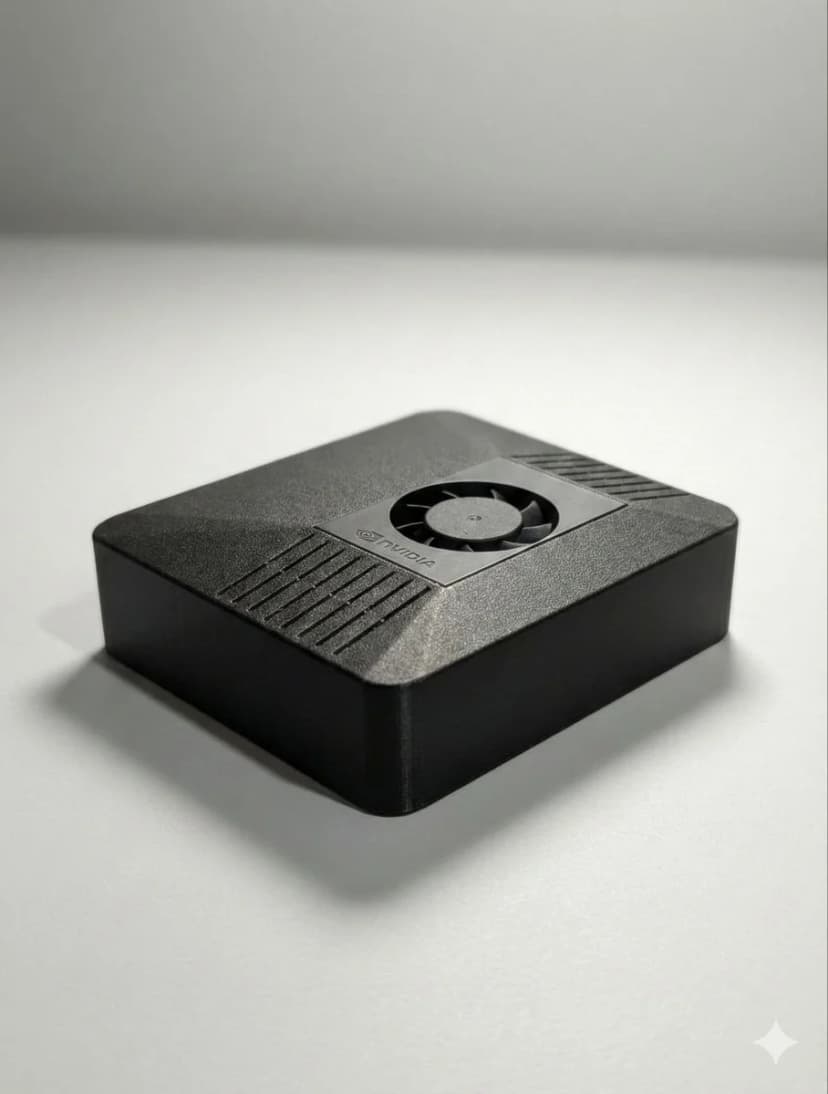
ClawBox vs Raspberry Pi 5 for AI
An honest comparison. Pi wins some, ClawBox wins where it matters for AI.
| Feature | 🦞 ClawBox (€549) | 🍓 Raspberry Pi 5 (~€165) |
|---|---|---|
| AI Performance | ✓67 TOPS (1024 CUDA cores) | No GPU — CPU only |
| LLM Speed | ✓~15 tokens/sec (8B models) | ~2-3 tokens/sec (3B models) |
| RAM | ✓8GB LPDDR5 unified | 8GB LPDDR4X |
| Storage | ✓512GB NVMe SSD | microSD (buy separately) |
| AI Software | ✓OpenClaw pre-installed | DIY setup (10-20 hours) |
| Voice Processing | ✓Whisper STT + Kokoro TTS (local) | Not included |
| Messaging | ✓Telegram, WhatsApp, Discord built-in | Manual configuration |
| Browser Automation | ✓Chromium + CDP built-in | Manual setup |
| Power Draw | 7-15W | 5-12W |
| Price | €549 (ready to go) | ✓~€165 + 10-20h setup time |
| GPIO / Tinkering | 40-pin GPIO header | 40-pin GPIO header |
| Community | OpenClaw Discord + docs | ✓Massive community |
Why ClawBox Wins for AI Workloads
Real AI Silicon
NVIDIA Jetson Orin Nano Super with 1024 CUDA cores and 67 TOPS. This is dedicated AI hardware — not a general-purpose ARM chip trying to do inference on CPU.
Zero Setup Time
With a Pi, you spend 10-20 hours installing Ubuntu, AI frameworks, messaging bots, browser automation, voice processing. ClawBox? Plug in, open browser, scan QR code. 5 minutes.
Privacy by Architecture
Voice processing (Whisper), text-to-speech (Kokoro), and local LLMs run entirely on device. Your data never leaves your desk. Same power budget as a Pi (~15W).
Choose ClawBox When...
- ✓ You want a 24/7 AI assistant that actually works
- ✓ You need real LLM inference speed (15+ tok/s)
- ✓ You want Telegram/WhatsApp/Discord out of the box
- ✓ Browser automation is important to you
- ✓ You don't want to spend a weekend configuring Linux
Choose Raspberry Pi When...
- ✓ You enjoy the DIY process (it's half the fun)
- ✓ Budget is the #1 priority
- ✓ You want GPIO for hardware projects
- ✓ AI performance isn't critical for your use case
Frequently Asked Questions
Can a Raspberry Pi run AI models?▼
Technically yes, but extremely slowly. The Raspberry Pi 5 has no GPU and runs LLMs at 2-3 tokens/second on CPU only. ClawBox uses an NVIDIA Jetson Orin Nano Super with 67 TOPS and 1024 CUDA cores, delivering ~15 tokens/second — 5-7x faster.
How much does it cost to build a Raspberry Pi AI assistant?▼
A Pi 5 8GB ($80) + SSD ($40) + case ($20) + power supply ($15) + cooling ($10) = ~$165 in parts. But you'll spend 10-20 hours configuring Linux, installing AI frameworks, setting up messaging integrations, and troubleshooting. ClawBox is €549 but comes fully configured — plug in and go in 5 minutes.
Is ClawBox better than a Raspberry Pi for a home AI assistant?▼
For AI specifically, yes. ClawBox has dedicated AI silicon (67 TOPS GPU), runs 7-8B parameter models locally at 15 tok/s, includes pre-configured OpenClaw software with Telegram/WhatsApp/Discord integration, browser automation, and voice processing. A Pi is great for general tinkering, GPIO projects, and learning — but lacks the GPU power for real AI inference.
Can I run Llama on a Raspberry Pi?▼
You can run small quantized models (1-3B parameters) on a Pi 5, but expect 2-3 tokens/second — painfully slow for conversations. ClawBox runs Llama 3.1 8B at ~15 tokens/second with its NVIDIA GPU. For practical AI assistant use, you need dedicated AI hardware.
What about power consumption — Pi vs ClawBox?▼
Raspberry Pi 5 uses 5-12W. ClawBox uses 7-15W under normal AI workloads. Very similar! Both cost under €1/month in electricity. The difference is ClawBox delivers 67 TOPS of AI performance in that power envelope, while the Pi delivers essentially zero GPU compute.